Aquantify

Explore the platform

Follow the work.
From sampling to reporting.

See how Aquantify brings your sampling programs, results and reporting into a connected workflow.

01 / Organise

Start with your points and parameters.

Organise sample points into groups and define the parameters your team measures. Configure units, test methods and limits to match the data you need to manage.

  • Sample point hierarchies
  • Parameter groups and test methods
  • Units and configurable limits
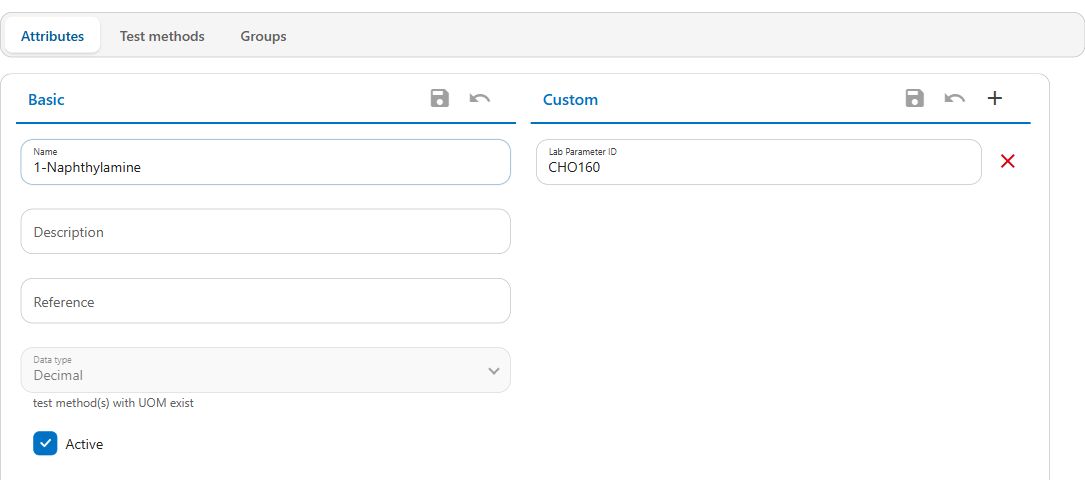
Aquantify parameter attributes alongside custom attributes, with test method and group tabs
Parameter configuration in Aquantify. View screenshot

02 / Collect

Bring results into the workflow.

Schedule recurring or ad hoc sampling programs. Enter results on desktop or through the iOS and Android apps, and import results from laboratory, operational or spreadsheet sources.

Immediate validation and unit conversions help operators check results as they are entered.

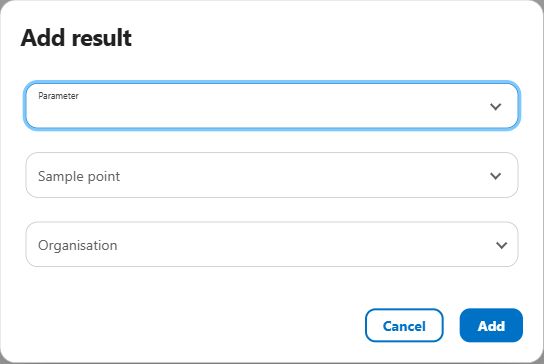
Aquantify desktop Add result selector with parameter, sample point and organisation fields
Choose the parameter, sample point and organisation to begin a desktop result entry. View screenshot

In the field

Record results on mobile.

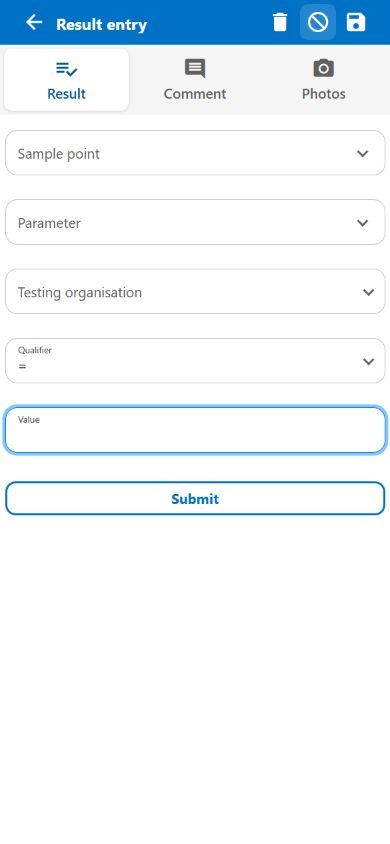
Use the mobile result-entry screen to choose a sample point, parameter and testing organisation. Operators can add a value and use the Comment and Photos tabs to provide context.

The screen shown is an empty ad hoc entry. The fields available depend on your selected parameter and configuration.

Aquantify mobile result entry showing empty sample point, parameter, organisation and value controls, with Result, Comment and Photos tabs
Mobile result entry in Aquantify. View screenshot

03 / Monitor

Review results and changes.

Filter the results you need and compare parameters to explore trends and correlations. Configure notifications for results that breach your defined limits, including immediate alerts or scheduled email summaries.

04 / Report

Turn results into repeatable reports.

Prepare water-quality results for operational reviews and compliance reporting using configured report definitions. Choose the report, set its scope and generate the output your team needs.

Use a formatted PDF for reading and sharing, or an Excel workbook for further analysis. Available reports, inputs and outputs depend on your organisation’s setup.

See how to run and download a report

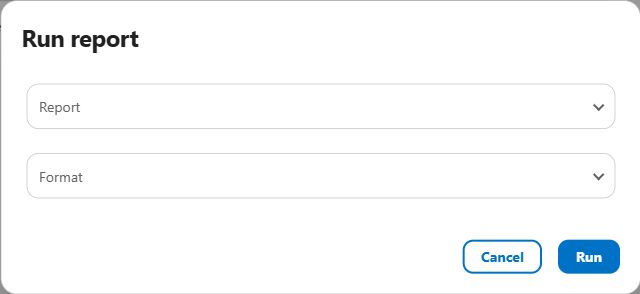
Aquantify AU2 Run report dialog with Report and Format selectors and a Run button
Choose a report and output format. Any required parameters appear after selecting the report. View screenshot

Focus on the right results.

Report parameters can define the reporting period, locations and other criteria. Check the scope for each run so the output reflects the records you intended to review.

Tailor the report to your organisation.

Users with report setup permission can maintain report definitions and edit their templates. Configure the layout and data needed for your organisation’s reporting requirements, then reuse the definition.

Choose a document or a workbook.

Generate a template-based PDF or Excel report. For data-focused analysis, configured Excel queries can produce a workbook with a separate worksheet for each dataset.

Make regular reporting repeatable.

Schedule reports hourly, daily, weekly or monthly, with their own input values, output format and selected user recipients. Review completed runs and download the generated files when needed.

A real report output.

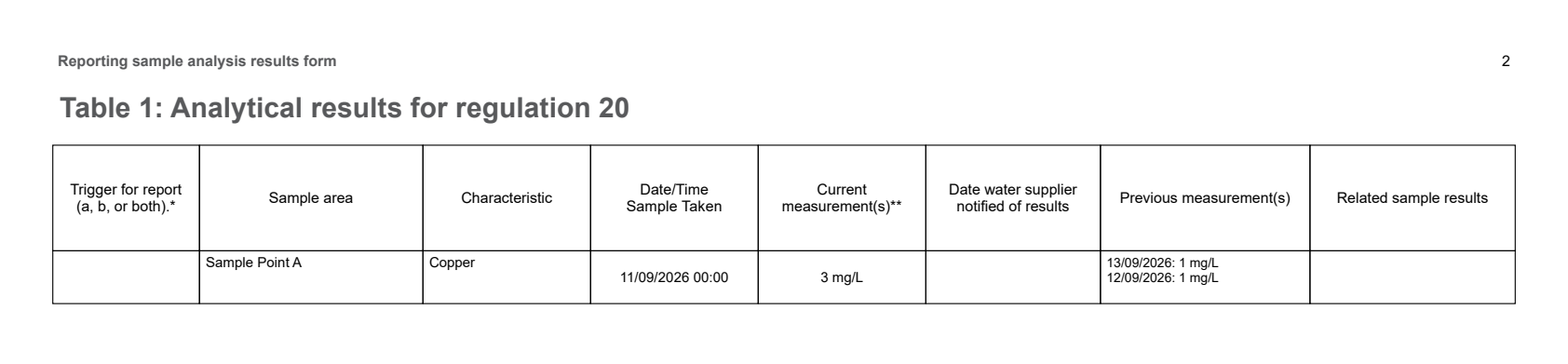
This excerpt from a report generated in the Aquantify test environment brings the sample location, characteristic, dates, current result and previous measurements into one table.

Report table showing Sample Point A, Copper, sample date 11 September 2026, current measurement 3 mg/L and previous measurements of 1 mg/L on 12 and 13 September
Results-table excerpt from a Regulation 20 template in the test environment. Shown as an example of report layout, not a submitted compliance report. View full-size example

Screens show examples of Aquantify. Available fields and workflows depend on your organisation’s configuration.

See your workflow in a demo.

Tell us what your team samples, where your results come from and which reports you need. We can walk through the relevant parts of Aquantify.