
Add an issue category, type, cause or action
These lists supply the choices used when recording and investigating issues.
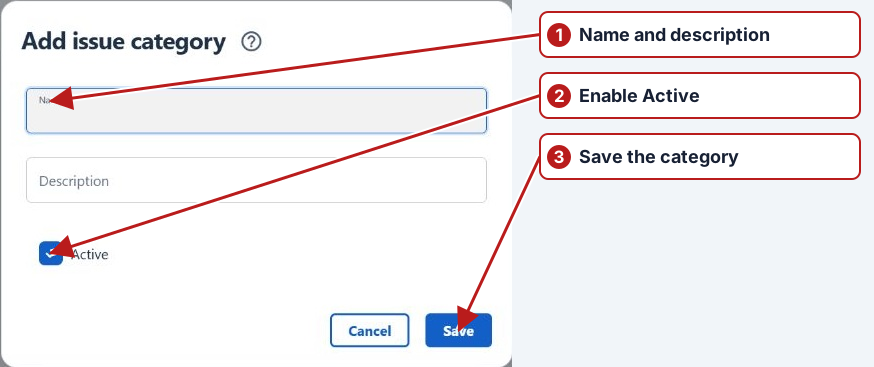
- Open Issues and choose Issue categories, Issue types, Issue causes or Issue actions.
- Click Add new.
- Enter Name and, if useful, Description.
- Enable Active to make the item available for use.
- Click Save.
Configure dependent catalogue values
Define the issue type before a cause that refers to it. For actions, review the Action type offered by the editor. Set clear names and descriptions so users can select the right item during an investigation.
Review existing use
Check whether a catalogue value is already used before changing its meaning or removing it. Consistent classifications support searches and reporting. New catalogue values do not themselves complete an issue’s investigation.