
Issue status
- New
- An issue has been recorded and is awaiting investigation.
- In progress
- The assigned user is working on it.
- Resolved
- The problem has been addressed.
- Cancelled
- The issue does not need to proceed, for example because it was created in error.
- Closed
- The resolution has been reviewed and the issue completed.
Change a status
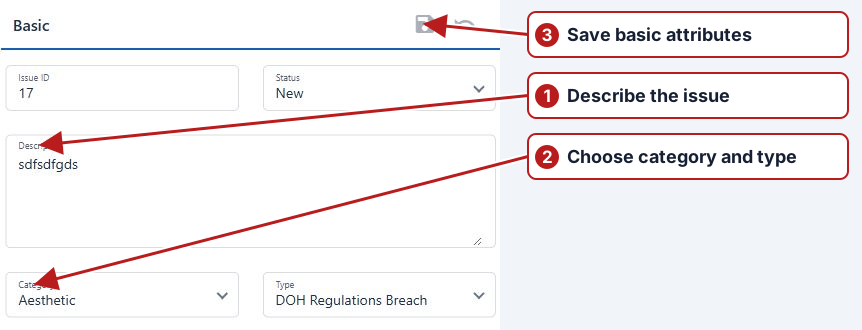
Open Attributes, choose an available Status, then click Save. Your account’s permissions determine the transitions offered.
Example progression
Record a pump fault as New, assign it and move to In progress when work begins. Add the cause and completed action before Resolved. A supervisor can review the resolution and move to Closed through the permitted transition. Use Cancelled for an issue that should not proceed, with its reason recorded.