
Configure a Latest result widget
Show the latest reading for a fixed parameter and sample point.
- Add Latest result and open Settings.
- Enter Title, for example Inlet chlorine.
- Choose Parameter and Sample point.
- Select Organisation, or None to leave the source unrestricted by organisation.
- Choose a compatible UOM where offered. Changing Parameter clears the previous unit, so choose it again.
- Save, then check the value, unit, date and organisation.
A latest reading may be older than today. Review its date and use Refresh to request it again. A dashboard date or custom-attribute selector does not replace this widget’s configured parameter and location.
If no result appears, check that the selected parameter, sample point and organisation have results and that the selected unit is compatible.
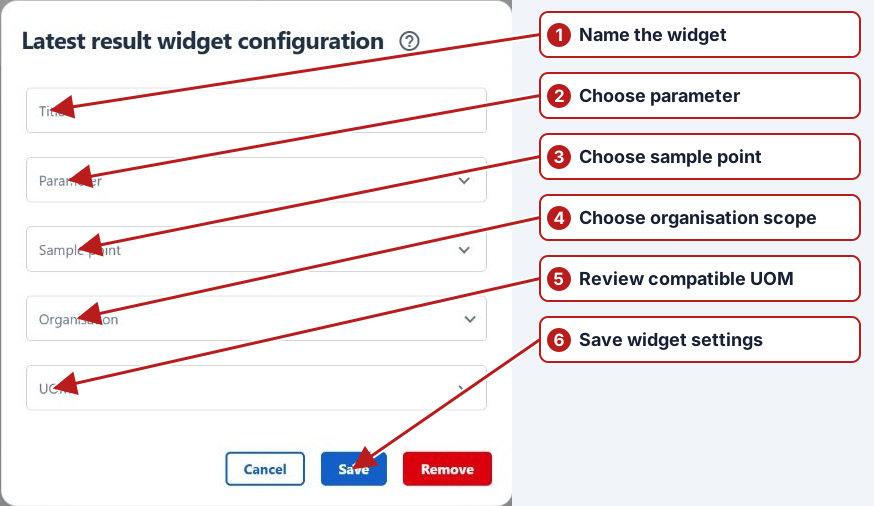
Use Configure > Save to retain settings and layout changes. Cancel discards the dialog changes; Remove removes the widget after confirmation. See Dashboard widgets for the full widget list.