
Add or update a user
Administrators maintain users in System > Users.
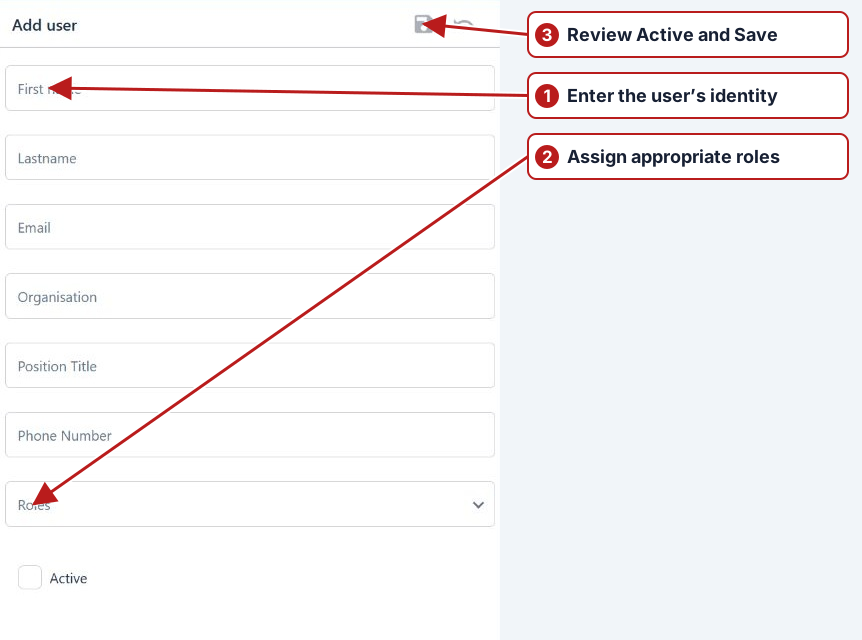
- Open Users and click Add new, or open an existing user.
- Complete First name, Lastname and Email. Add organisation, position and phone details where appropriate.
- Select the required Roles and review Active.
- Click Save. For a new user, review and confirm the invitation prompt.
Assign access after identity
Save the user definition, then inspect the available role assignments. The user’s assigned roles supply operation and partition access. Review Active, identity and required account details before expecting sign-in to expose a particular module.
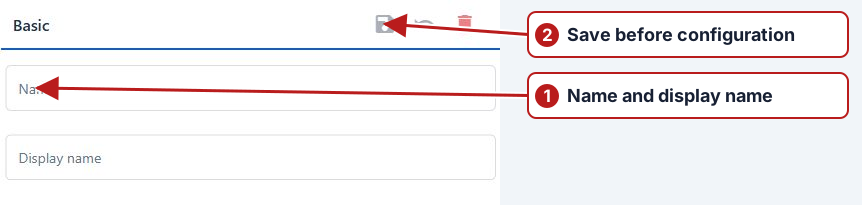
Validate the intended role
Check the required work, such as viewing tasks, entering results or maintaining programs, against the listed permissions. The current web setup does not use the old native-mobile PIN field or Windows Active Directory import button.