
Working efficiently in Aquantify
A clear hierarchy, reusable searches and reviewed definitions reduce repeated work. Learn which layer controls the question you are answering.
Partitions and locations
System groups establish business partitions; Site groups provide operational context. Select the working site, then review the browser’s actual location filters. A point’s reference lets an expression explicitly read that location.
Parameters and methods
Define a parameter once and reuse it in groups. Methods supply its unit, instrument and optional formula for the appropriate location/date. Keep laboratory codes in custom attributes, separate from expression references.
Scheduling
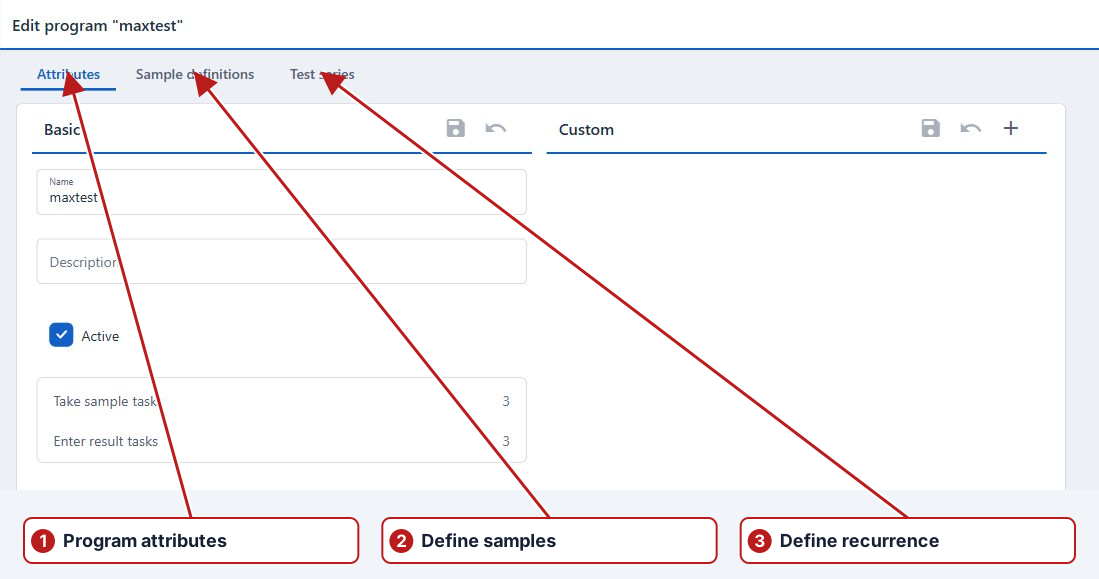
Sample definitions select the work; test series supply its timing; applied definitions connect them. Holiday and weekend rules shape periodic occurrences, and exceptions handle individual departures. Rolling synchronisation keeps related rotating definitions aligned.
Collection and review
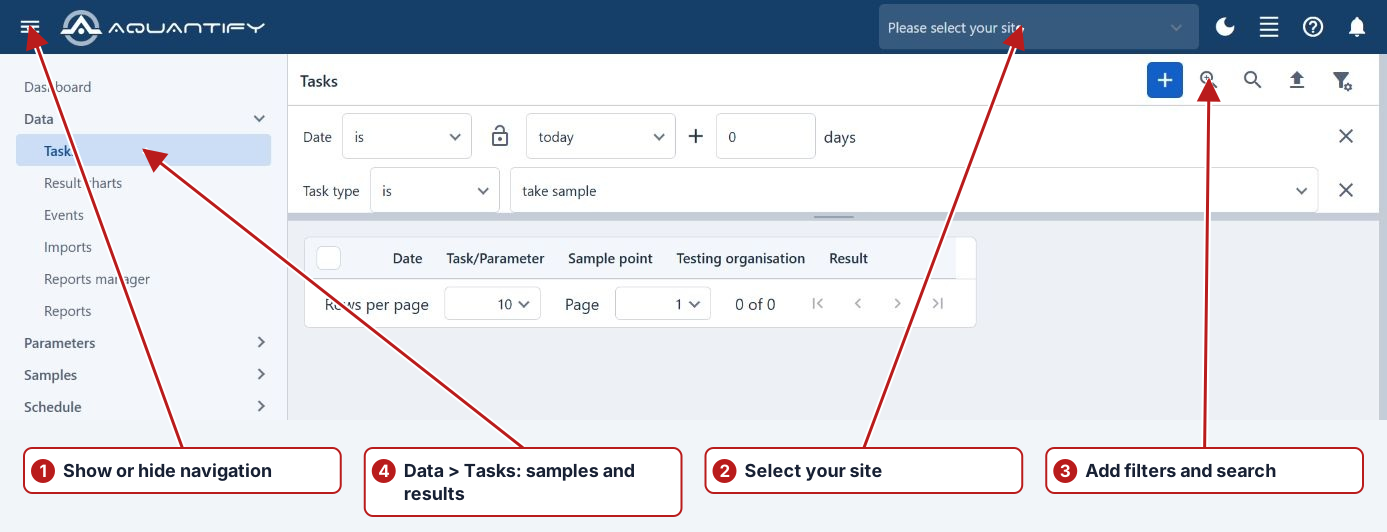
Save routine Tasks searches through Manage. Record actual sampling and result outcomes, distinguishing pending, No result and zero. Review blocking limits and alert investigations with the measurement’s date, unit and location.
Analysis and administration
Use compatible chart axes, pinned reference series and reviewed date ranges. Export the filtered values with their context or run an appropriate report. Maintain supporting attributes, lookup values, import mappings, notification groups and roles through the current menu pages.