
Add a parameter limit
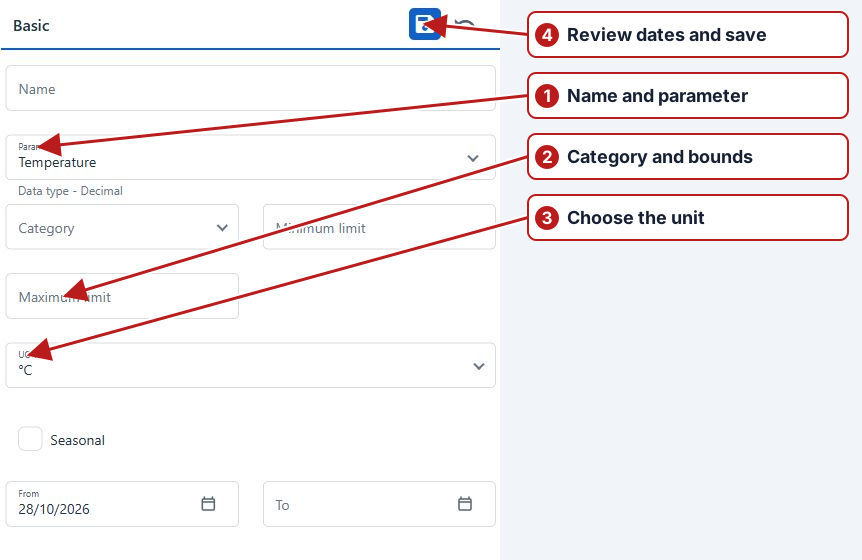
- Open Parameters > Limits and click Add new.
- Enter Name and select Parameter.
- Select Category. For an Alert limit, also select Alert type.
- Enter the numeric minimum or maximum, or the applicable breach/non-breach value for the parameter’s data type.
- Select UOM when shown. Review Seasonal, From and To, then click Save.
- Use the saved limit’s Sample points and Sample point groups tabs to add its locations.
Verify the saved definition
Reopen the limit and check Parameter, Category, Alert type, unit, bounds and dates. Inspect the Sample points and Sample point groups tabs and confirm the intended locations. A data-entry limit blocks invalid values; an alert limit supports warning and investigation.
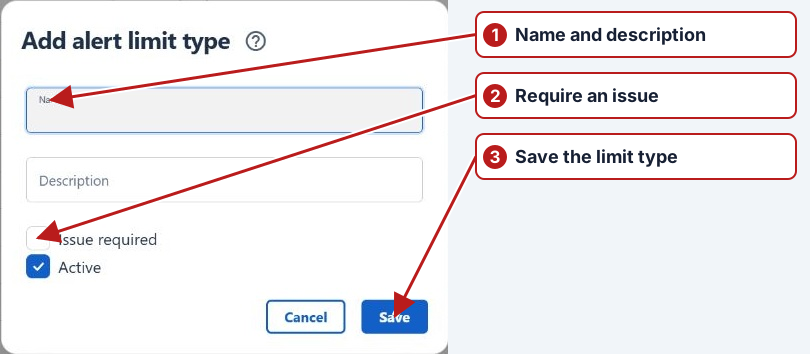
See Breach behaviour before relying on the limit.