
Export results
- Open Data > Tasks.
- Set the filters for the results you need and review them carefully.
- Click Export in the toolbar.
- The app confirms that the request has been queued. Wait for background processing and the resulting notification.
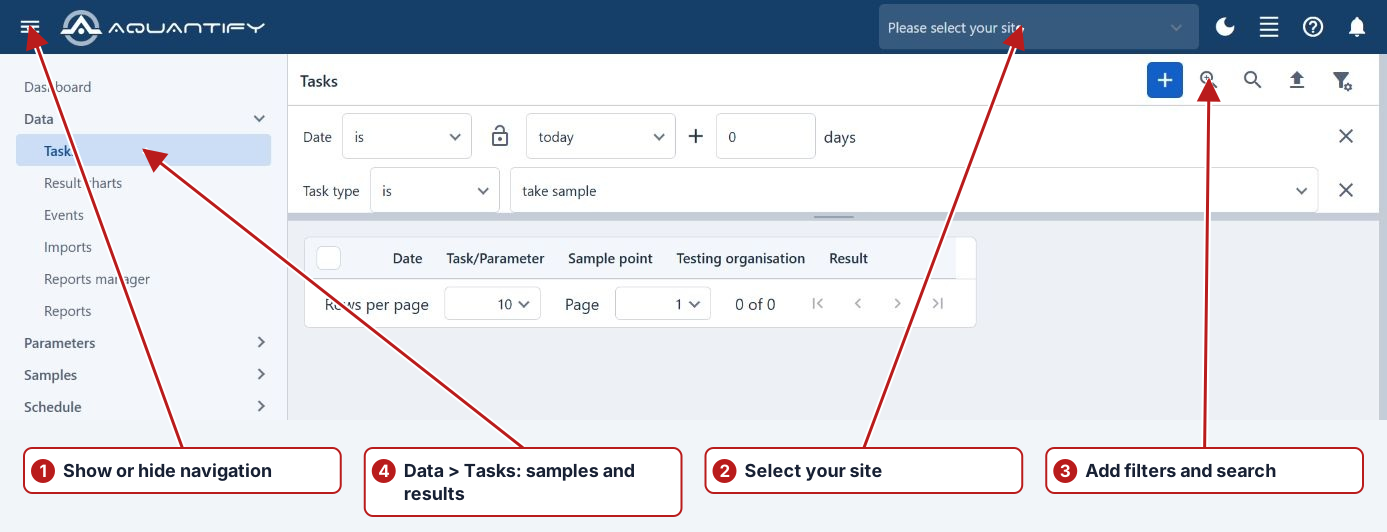
Review the data before export
Apply the intended date, location, parameter and organisation filters, then Search. Check that the returned set and visible units answer the question. Export through the available browser action and review the downloaded file before analysis.
Keep context with the numbers
Include dates, sample points, parameters, qualifiers and units in any shared analysis. Pending and No result are not numeric zero, and calculations may depend on their source periods. An exported worksheet does not modify Aquantify results.