
How to Replace a Meter
A Meter Read Parameter that you use for meter readings MUST HAVE an Instrument (meter) associated to the Method being used. When a meter is to be replaced, a new Parameter Method is defined associated to the new Instrument (meter) and the same Sample Point.
Here is the set up for meter reading and replacement -
The Meter Read Parameter has a Method associated with the current Instrument(meter).
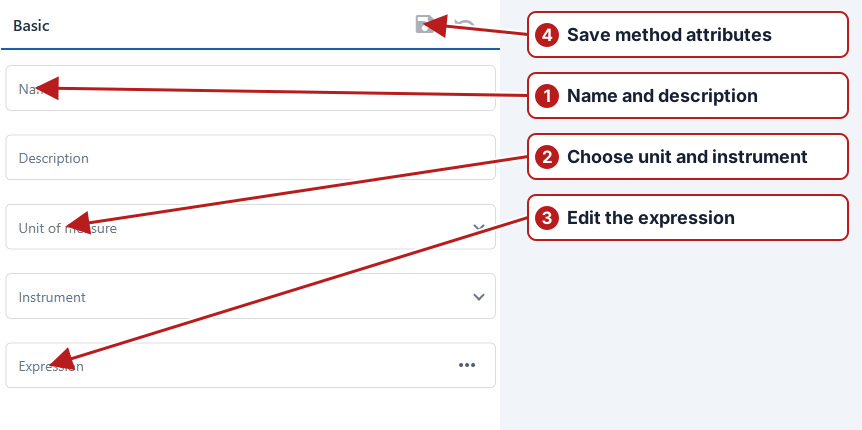
Replacing a Meter
To ensure that any volume calculations remain valid, the following procedure MUST BE followed in order when replacing a meter.
- Take a final meter reading for the Instrument (meter) which is going to be replaced and enter the Result into the system.
- Only do this if the above applies - On the Scheduler manually delete any future scheduled meter reads that are associated to the meter being replaced. This is because any future meter readings will still be associated to the meter being replaced.
- Select the meter Instrument Type and create a new uniquely named Instrument(meter).
- Go to the Meter Read Parameter and create a new Method associated to the new Instrument(meter) and the Sample Point.
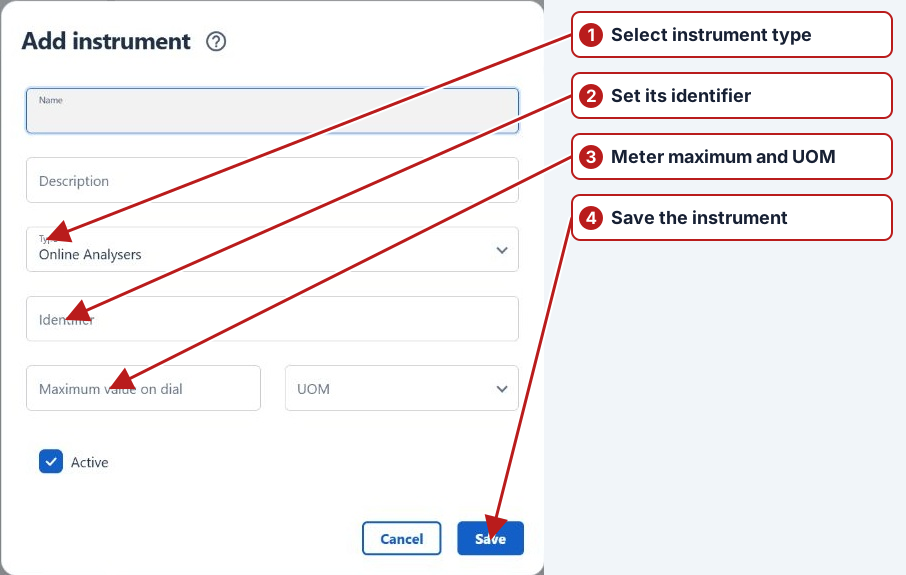
- This step is only needed if you are manually scheduling via the Scheduler instead of a Program. Schedule future meter reads with the new meter starting from the date that the new meter was installed.
- Install the new meter.
- Take the initial meter reading of the new meter as soon as it is installed and enter this reading into the system.
Example -
| Date | Instrument / reading | Difference | Total |
|---|---|---|---|
| 18 May 2016 | Old meter: 400 | 0 | 0 |
| 19 May 2016 — first | Old meter final reading: 50 | 649 | 649 |
| 19 May 2016 — later | New meter initial reading: 200 | 649 — unchanged at the transition | 649 |
| 20 May 2016 | New meter: 375 | 175 | 824 |