
Alert limit types
Alert limit types classify limits and can require an issue when a limit is breached.
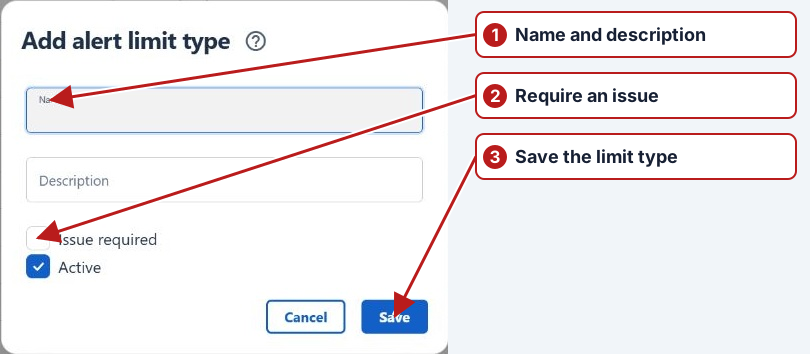
- Open Parameters > Alert limit types and click Add new.
- Enter Name and optional Description.
- Select Issue required if breaches of this type require issue follow-up.
- Set Active and click Save.
Connect the type to an actual limit
Choose the type on an alert-category parameter limit and assign the limit’s locations and dates. The type classifies the response; the parameter limit supplies the threshold. Review issue requirements and the notification rules for resulting issue events separately.
See Breach workflow and Notifications.