
Add an instrument type
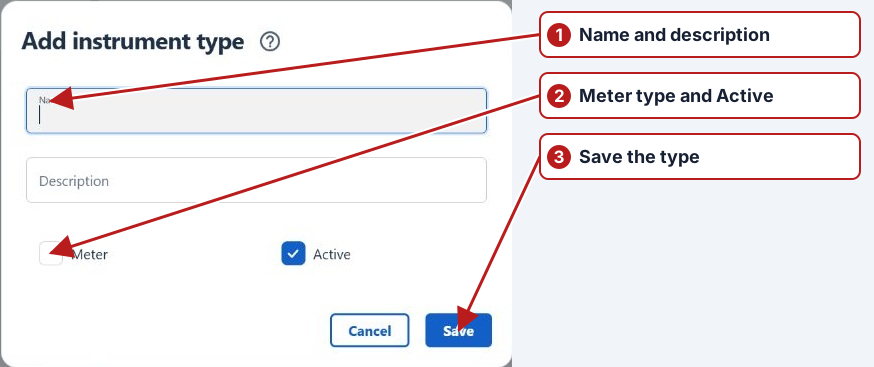
- Open Parameters > Instrument types.
- Click Add new in the types pane.
- Enter Name and Description.
- Select Meter for a meter type, and set Active.
- Click Save.
Next, add an instrument under the type.
Type and individual instrument
An instrument type groups similar equipment; the individual instrument identifies the actual meter or device. Create the type first, then its instruments and their serial/maximum/unit context.
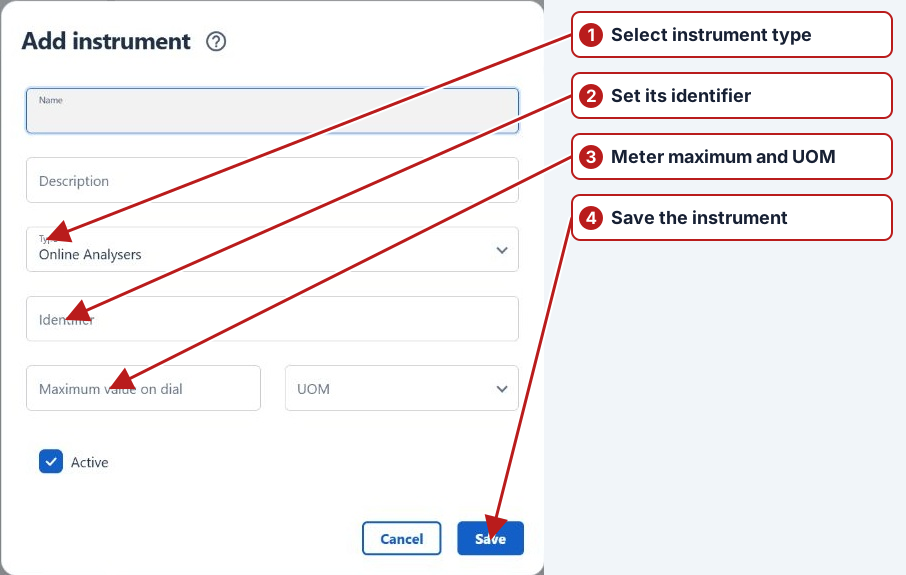
Assign the instrument to the relevant parameter method, not merely to a descriptive group.