
Order parameters by group
- Open Parameters > Ordering.
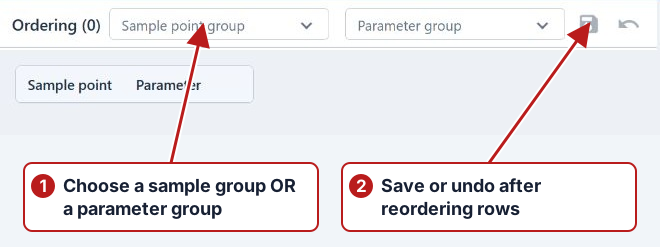
- Choose either a Parameter group or a Sample point group to load its ordering. Selecting one scope clears the other.
- Select the rows to move; use Ctrl for separate selections or Shift for a range.
- Drag the selected rows using their drag handle to the desired position.
- Click Save and review its confirmation, or Undo to reload the existing ordering.
Ordering changes presentation of the loaded measurement rows. It does not replace a parameter, alter an expression or move its group membership. If there are no rows, check that the selected scope has relevant work.