
Add an alert limit type
Alert limit types classify limits and can require an issue when a limit is breached.
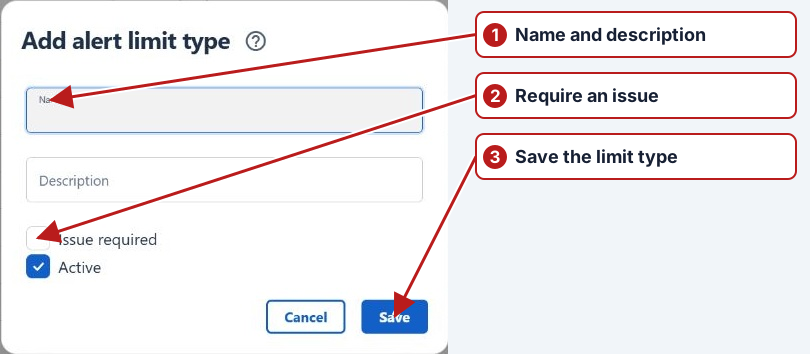
- Open Parameters > Alert limit types and click Add new.
- Enter Name and optional Description.
- Select Issue required if breaches of this type require issue follow-up.
- Set Active and click Save.
Review the full chain
After defining the type, choose it on the relevant alert limit and check that limit’s threshold, unit and locations. Review the associated issue requirement and any notification rule/group needed for investigation. Defining a type alone does not create a parameter threshold.