
Samples menu
Define where samples are taken, the kinds of samples and containers used, the sampling methods and the organisations responsible. Programs combine these records into work; creating a sample point alone does not schedule it.
Sample point groups and sample points
Open Sample points to browse the hierarchy on the left and the selected group’s points on the right. System groups organise the hierarchy, while Site groups represent operational locations used in site selection. A point can be associated with more than one group where the organisational structure requires it.
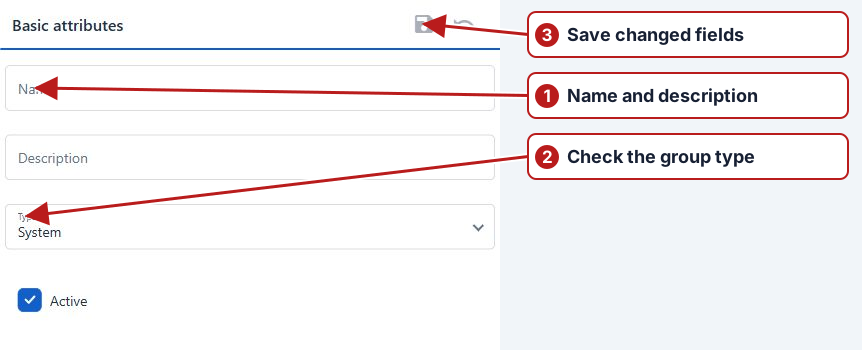
Search the hierarchy to find a group and use the point pane’s quick search or filters to find a point. Check Name, Description and Reference, and include inactive records when looking for an existing definition. The point’s reference can be used in expressions; laboratory IDs belong in custom attributes.
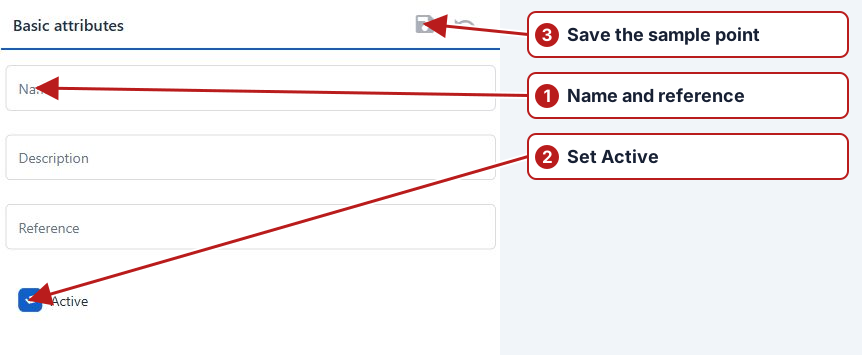
Group search and point browser
Select the appropriate group before interpreting the point list. Resize the divider to see long names. Use row actions to open a point, inspect its group associations or access other offered actions. A saved filter can be reused through Manage; clear unrelated filters when an expected point appears to be missing.
Container types
Define the containers needed for sample collection, such as a suitable bottle type. A program sample definition selects its required container types. Review container requirements together with sample type and sampling method; these describe collection requirements rather than numeric result units.
Sample types and sampling methods
Sample type classifies the material or activity. Its Sampling required setting controls whether the program definition needs a sampling method and sampling organisation. Sampling methods describe how collection is performed. Testing organisation identifies who supplies results and can differ from the sampling organisation.
Organisations
Use Organisations for internal teams and external laboratories. Define the name, description, External and Active state. For laboratory imports, choose the sample-point and parameter identifier attributes and map the file’s source columns.
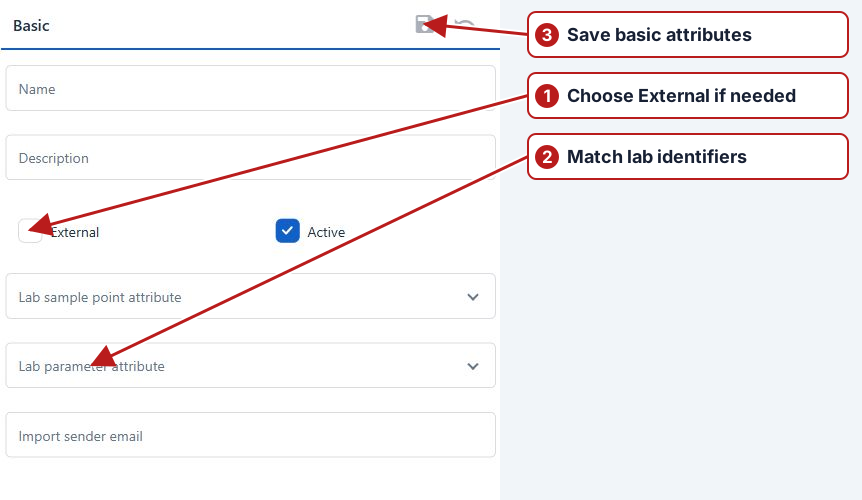
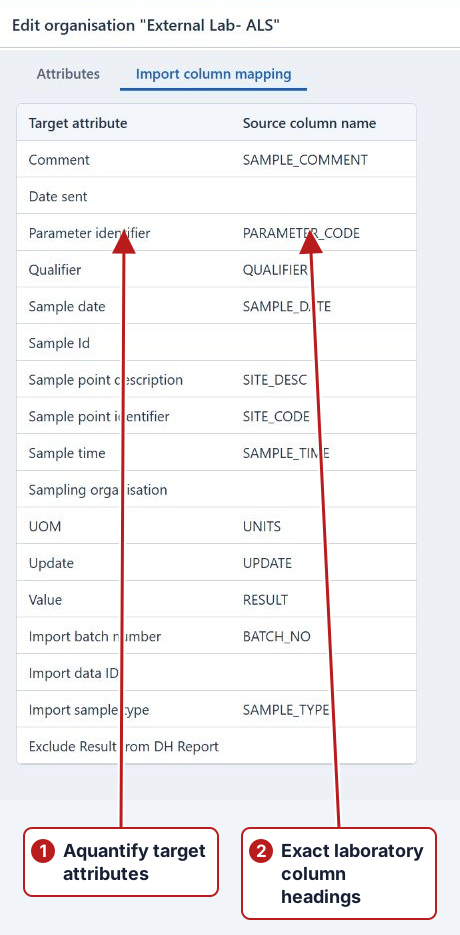
See Locations and groups, Organisations and Importing results.
For the catalogue editors and their use in programs, see Set up sample collection.