
System menu
System controls user access, roles, partitions and application settings. These changes affect which records people can see and which operations they can perform.
User accounts
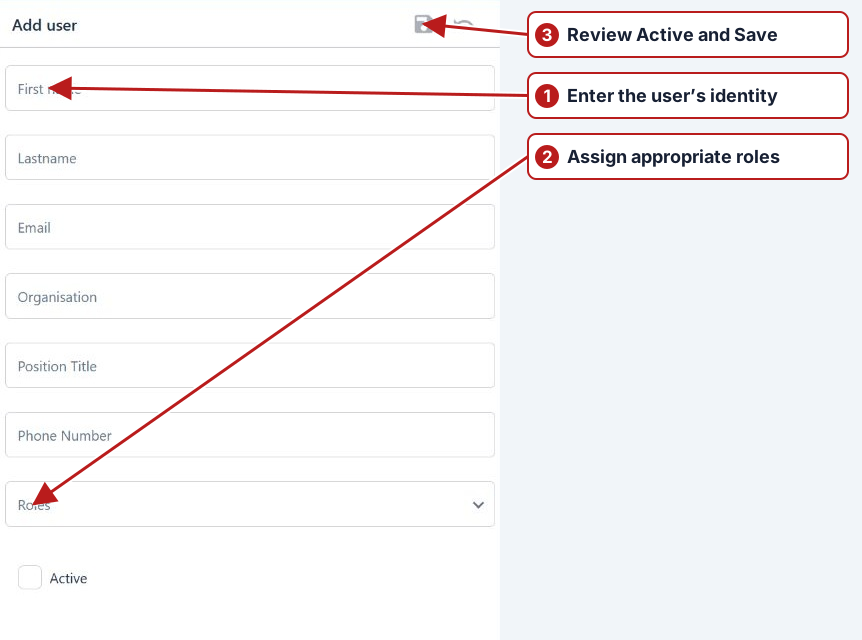
Find the user before creating another account. Enter the required identity details, review Active state and assign appropriate roles through the user’s related tabs. Authentication to the app and permission to edit a module are separate concerns.
Security roles
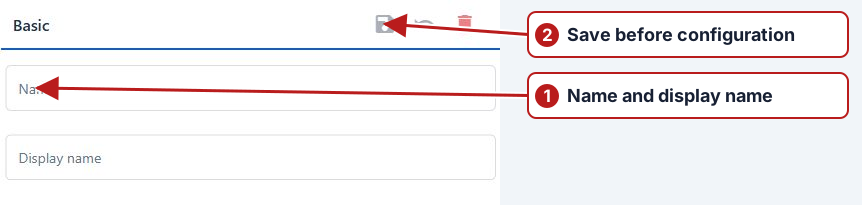
A role combines module permissions with access to partitions. Give users the minimum set needed for their work, distinguishing browsing from editing, result submission and administration. Check every role assigned to a user when diagnosing unexpected access.
Partitions
Partitions separate operational data such as business units. The current partition context, role permissions and entity associations jointly determine what appears in browsers. Missing records can result from the selected partition or access, as well as filters and inactive state.
Settings
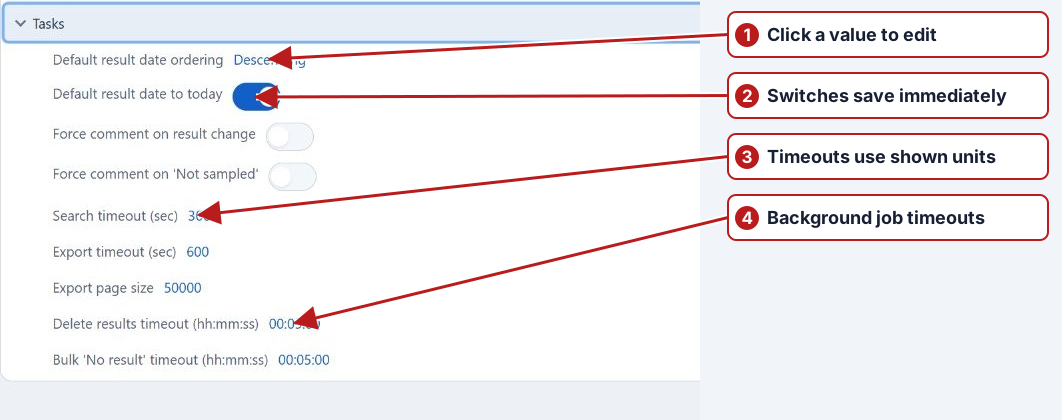
Expand the appropriate settings category for scheduling, result-entry defaults, import processing, notifications or reporting. Scheduling settings include the program-change delay and result/sampling tolerances. QR output dimensions are chosen in the Generate QR codes dialog. Use the current category and field labels rather than the Windows settings dialog.
See Security explained, Partitioning and System setup.
Current account and processing workflows
See Profile and account onboarding and Background jobs. Processing messages are in the Notifications drawer.
See Application settings for the category tree, immediate switches, value editors and processing controls.