
Manage menu
Manage supplies definitions used across the app: custom attributes, notification rules and groups, holidays and lookup lists. Configure these deliberately because browsers, programs and imports can rely on them.
Custom attributes
An attribute adds a field to a supported entity type such as Parameter, Sample point or Program. Define its name, data type and entity type, then assign a value to the actual record in that record’s Custom panel. Defining an attribute does not populate every record.
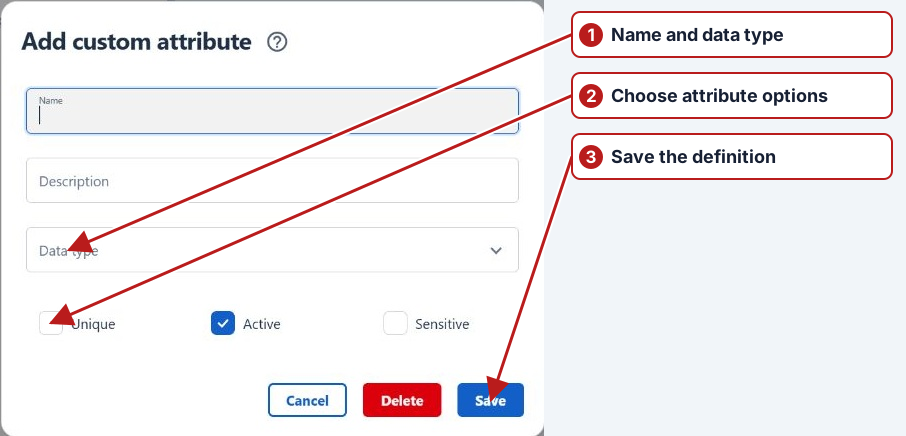
Use a lookup attribute for controlled classifications such as Financial year. Use separate identifier attributes where laboratories use different codes. Attribute values can also become browser filter criteria. See Custom attributes and worked import example.
Notification rules and frequency
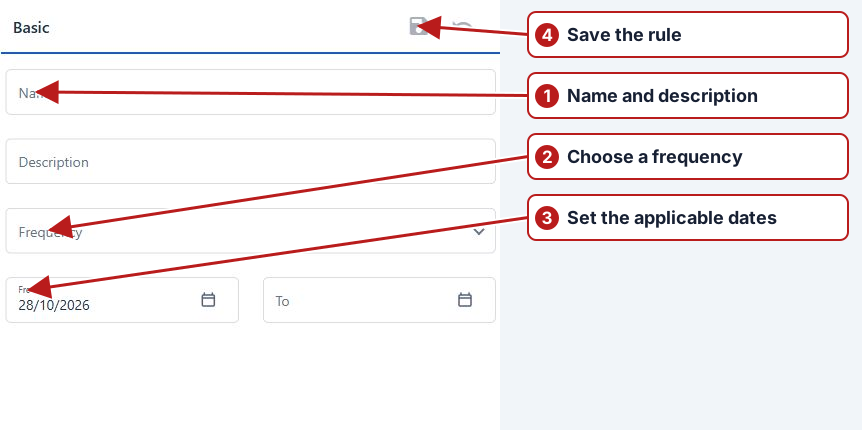
A rule selects the events and entity scope that should cause a notification. Review its period and frequency settings; a rule for successful imports answers a different question from a rule for failures or breaches. Assign the rule to a notification group so the selected users receive relevant activity.
Notification groups
Create a group, add users and associate rules. Review its Active state and the membership rather than assuming a saved rule sends mail to everyone. An empty group has no recipient set. See Email notification setup and diagnosis.
Import fields
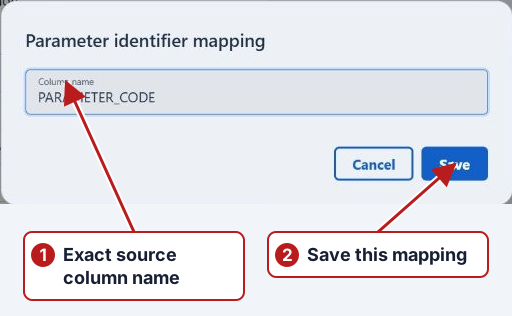
The Windows help placed laboratory import fields in Manage. The current app edits them on Samples > Organisations > Import column mapping. Map exact source column names to parameter and point identifiers, sample date/time, value, unit and other supported targets.
Holidays
Maintain the holiday definitions used by periodic scheduling. Review each test series’ Exclude holidays and Exclude weekends choices before generating or regenerating occurrences. A calendar entry alone does not specify whether a task should be skipped or moved; the series rule determines that treatment.
Issue catalogues
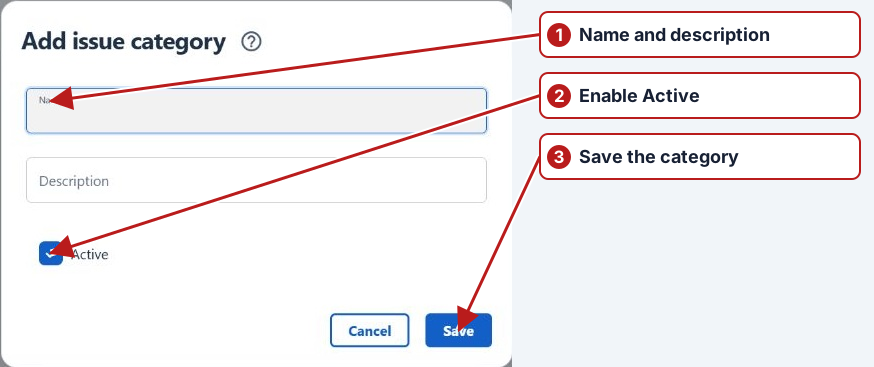
Issue categories, types, causes and actions now sit under Issues. Use consistent catalogue values so investigations can be filtered and reported. These definitions classify an issue; its status and dates describe progress.
Lookup lists and values
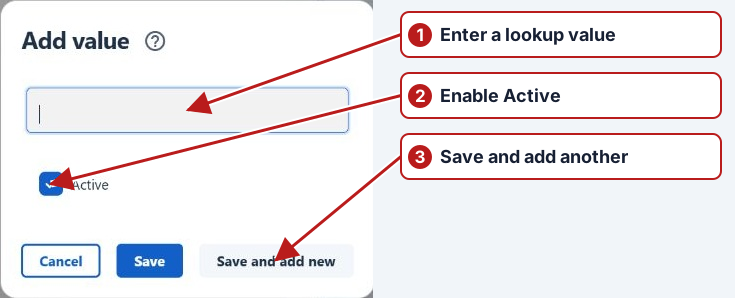
Create a lookup type, then add its allowed values. Associate it with a lookup parameter or custom attribute where offered. A controlled list prevents spelling variants from fragmenting filters and reports. Keep historical values available when existing records rely on them; use Active state deliberately.
See Manage holidays for adding, editing and maintaining dates for each scheduling year.