
Add a custom attribute
Custom attributes add fields for a particular entity type, such as Sample point, Parameter or Result.
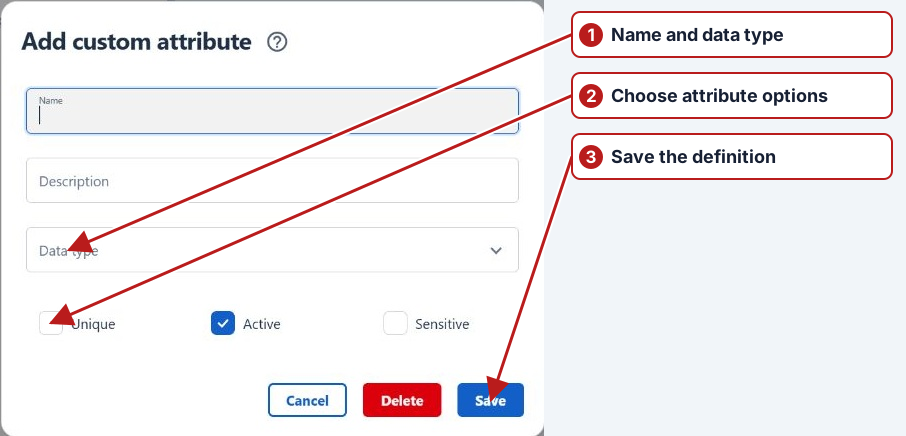
- Open Manage > Custom attributes.
- Select the Entity type and click Add new in its attributes pane.
- Enter Name and optional Description and select Data type. Choose Blob for a file field that holds one file per saved record.
- Set Active and, where offered, Unique as needed.
- If access must be restricted, enable Sensitive and select the appropriate roles.
- Set the results export and limit-breach report options where offered, then click Save.
Choose the type for its purpose
Use a lookup for controlled classifications and a type that preserves external identifier formatting for lab codes. Select the supported entity type where the value belongs. Review Unique where offered so identifiers do not become ambiguous.
Populate records after definition
Open the record’s Custom panel and add the attribute. Enter or select a value and save it, or use Upload file for a Blob field on a saved record. See Worked attribute examples.