
Add a lookup value
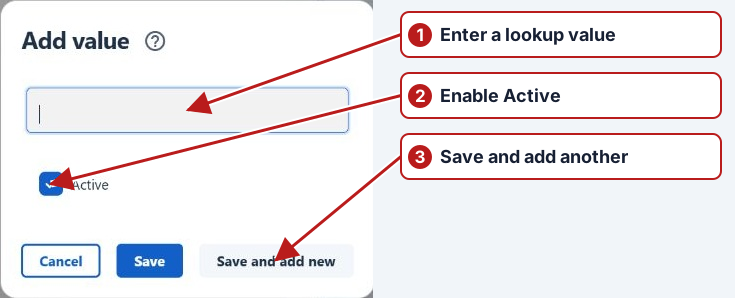
- Open Manage > Lookup types and select the required lookup type.
- Click Add new in the lookup values pane.
- Enter a value in the type's format.
- Set Active.
- Click Save, or Save and add new to enter another value.
Consistent result entry
Use a distinct value name and useful description within the intended lookup type. Active values are offered for new selections where applicable. Review the existing values first to avoid spelling variants that fragment filters and reporting.
Reopen a parameter using this lookup type to confirm the intended choices are available in result entry.