
Relative and absolute date filtering
Date filters support fixed calendar dates and dates relative to the day on which a search runs.
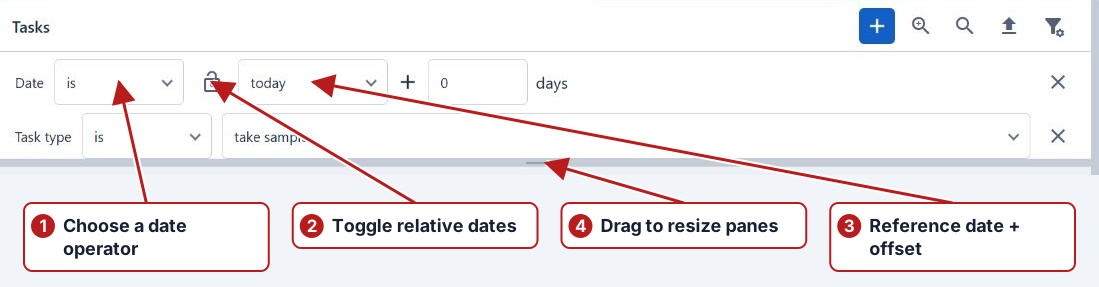
Add a date filter
- Click Add filter and select Date, or the specific date field you need.
- Choose an operator such as is or an available range operator.
- Use Toggle relative date to switch between a calendar date and a relative date.
- Set the date value and click Search.
Relative dates
Choose today, week start, week end or month start, then enter the day offset. Zero uses the selected reference date. A negative offset moves earlier; a positive offset moves later.
Absolute dates
Switch to the locked calendar-date mode, type a date or choose it with Open date picker. Use this for a fixed investigation or reporting period.