
Issues menu
Use Issues to record operational problems and limit investigations, assign responsibility and document causes and actions. Issue catalogues supply consistent categories, types, causes and actions.
Find the investigation
Open Issues > Issues, set a relevant date, status, location, assigned-user or other available filter and Search. Select a record to open it. Check the issue ID and context before changing a status or linking another issue.
Record and investigate
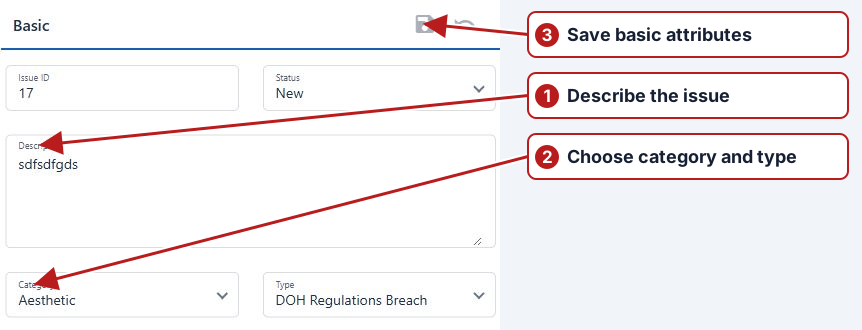
Create an issue manually for a maintenance or safety observation, or review an issue linked to a breached result. After saving Basic, use Causes, Actions and Other info to document the investigation. Child issues, Map and History supply related records and change context.
Parent and child relationships
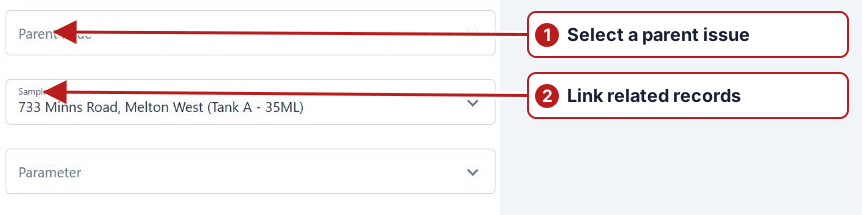
Use Parent issue to connect a specific issue to a broader investigation. Inspect both the child’s parent field and the parent’s Child issues tab afterwards. Changing the parent is a relationship change, not closing the child.
Close with evidence
An existing issue needs a cause and an action before Resolved or Closed. Review offered transitions and any prompt concerning child statuses. Use the available bulk operation only after checking the entire selected set.
See Create an issue, Statuses and Notifications.