
Open and close Aquantify
Open the web app
- Open the Aquantify address supplied by your organisation in a browser.
- Complete the sign-in flow if prompted.
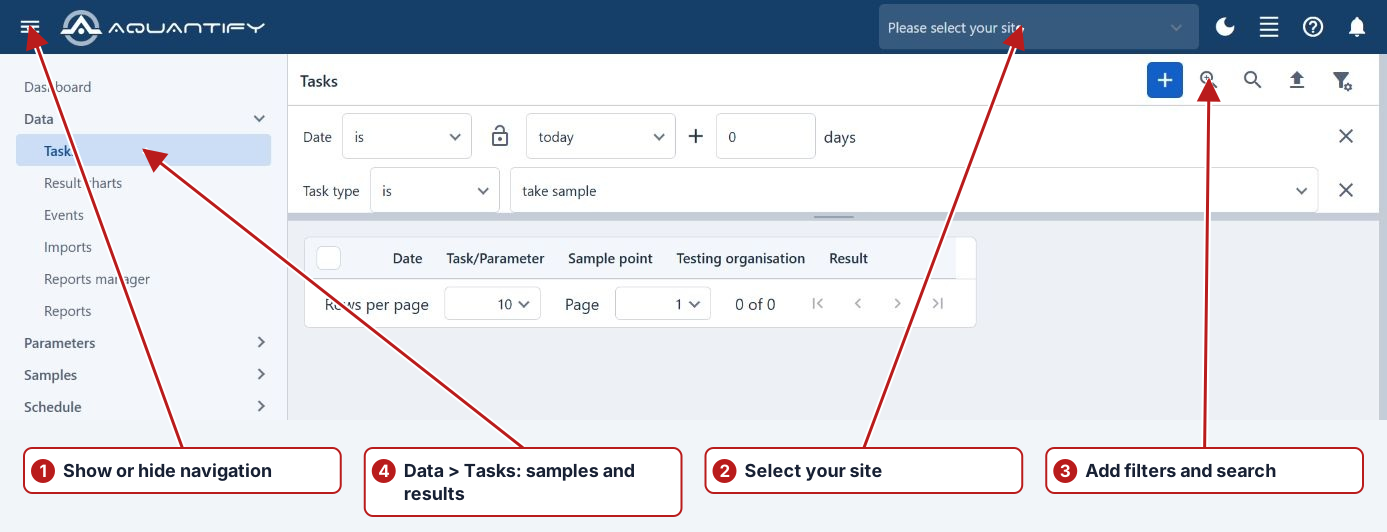
- Select the required site and open a page from the navigation menu.
Close the app
Finish or cancel open edits, then close the browser tab. Save a result or record before leaving its editor if you want to keep the changes.
Before leaving an editor
Save the intended changes through the relevant panel or cancel/undo the unsaved edits. Check any leave-page prompt so a draft is not lost inadvertently. Confirm recently submitted work in the task browser before closing the tab.
Record the application context
When reporting a problem, include the displayed version and the environment address. A Windows taskbar shortcut and Exit Aquantify button are not the controls used by the current web app.