
End a limit’s applicability
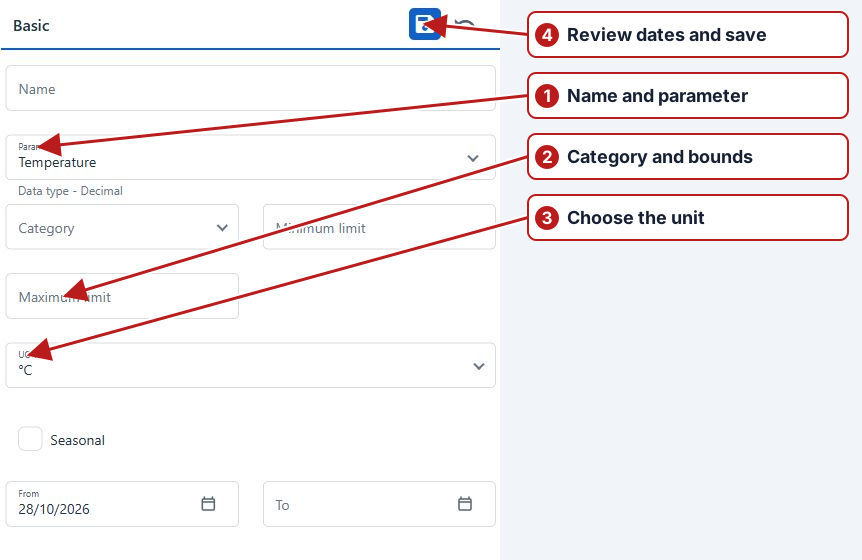
Use the limit editor to review and end a non-seasonal limit’s date applicability.
- Open Parameters > Limits, filter for the required limit and search.
- Open the limit and review its Attributes.
- For a non-seasonal limit, set the applicable To boundary and click Save, if the date is editable.
- Review the locations and the resulting date range.
Removing an editable location association uses Delete on that location’s tab. This changes where the limit applies.
Check associations and history
Review its sample points and groups and whether it is still needed for future work. Removing one location association differs from removing the entire limit. Read the actual confirmation and check the definition afterwards; do not assume every Delete action implements the Windows expiry-date behaviour.