
Set up a program
A program combines sample definitions with test series to create sampling and result-entry tasks.
Create the program
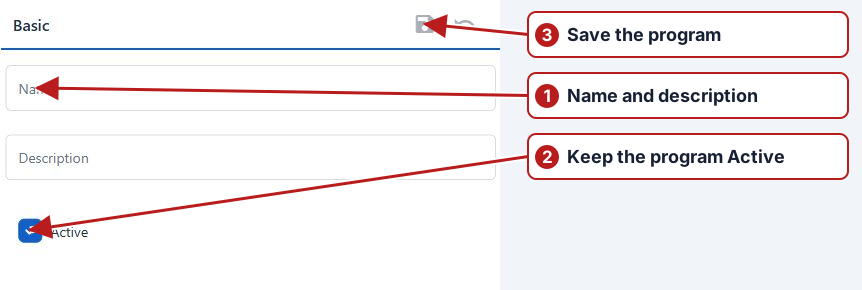
- Open Schedule > Programs and click Add new.
- Enter Name and Description, review Active, then click Save.
Add sample definitions
- Open Sample definitions and click Add new.
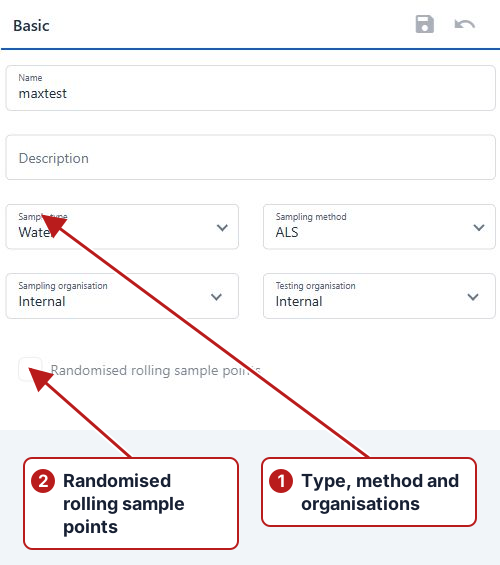
- Enter the definition’s name and description. Choose Sample type, Testing organisation and, where sampling is required, Sampling method and Sampling organisation.
- Save the definition, then use its tabs to select the required sample points or groups, parameters and container types.
- Configure Randomised rolling sample points and Sync with only when the program needs that sampling pattern.
Add test series
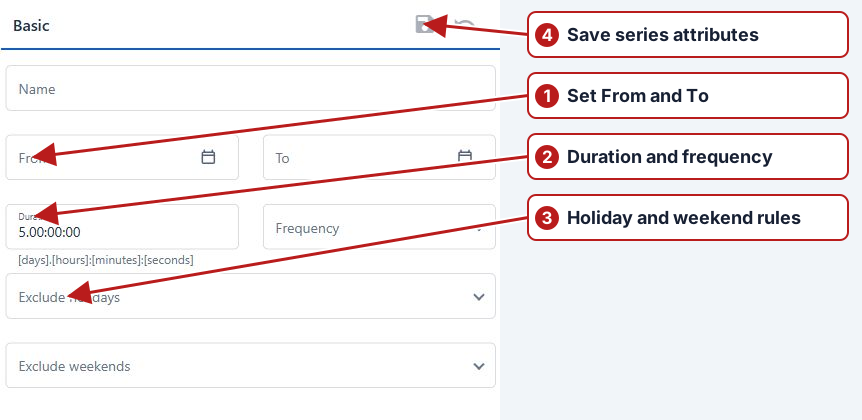
- Return to the program, open Test series and click Add new.
- Enter Name, From, To, Duration and Frequency. Set the recurrence interval and weekdays where offered.
- Review Exclude holidays and Exclude weekends, then save.
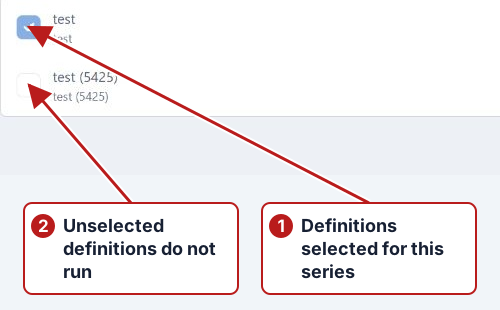
- Open Applied definitions and select the sample definitions to use.
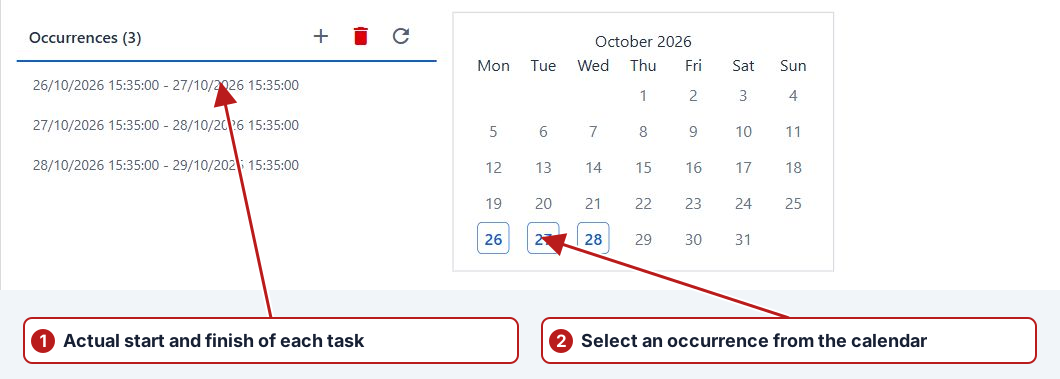
- Open Occurrences and review the schedule. For a periodic series, use Generate occurrences, check the sample and result task counts, then confirm when they are correct.
Check each definition before generating dates
Sample type determines whether sampling method and sampling organisation are required. Testing organisation identifies who supplies the measurements. Select locations, parameters and containers in their respective panes and review the selected side. If randomised rolling locations are enabled, check the eligible set and any Sync with relationship.
Apply definitions to the series
After saving a test series, open Applied definitions and select the required sample definitions. A definition can exist in the program without running in every series. Separate daily measurements from weekly calculations when their periods differ.
Review occurrences and generated work
Inspect the Occurrences list and calendar, including actual start and end times, excluded holidays and weekend behaviour. Then filter Data > Tasks by the program and a representative period to confirm the locations, parameters and organisations. A generation action is not a substitute for that review.
See Program scheduling and testing for active-program changes, rolling synchronisation, cloning and next-year setup.