
Configure a Compliance widget
Summarise compliance grouped by a parameter custom attribute.
- Add Compliance and open Settings.
- Enter Title.
- Choose Parameter custom attribute to group measurements.
- Set Take days to a positive number, for example 30.
- Save and review the groups and percentages.
Populate the selected custom attribute on relevant parameters first. If groups are missing, check those values and the available results in the selected number of days. Use Refresh to reload where offered.
The Date range widget does not override Take days. An empty widget does not establish full compliance.
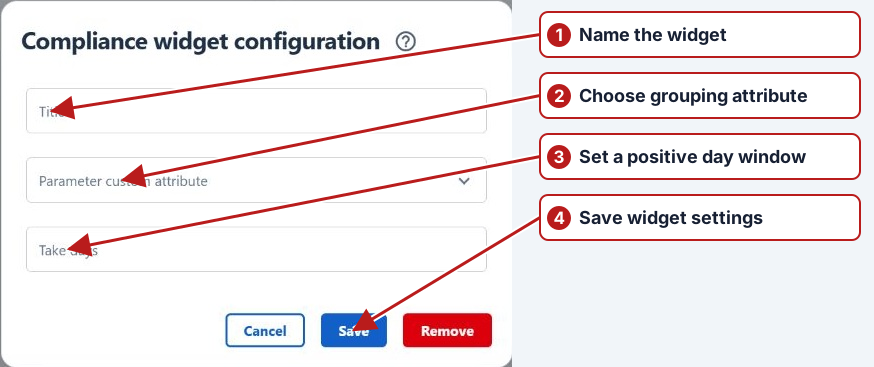
Use Configure > Save to retain settings and layout changes. Cancel discards the dialog changes; Remove removes the widget after confirmation. See Dashboard widgets for the full widget list.