
Parameter unit of measure conversion
A numeric result can use an alternative unit when a suitable conversion exists to the test method's unit.
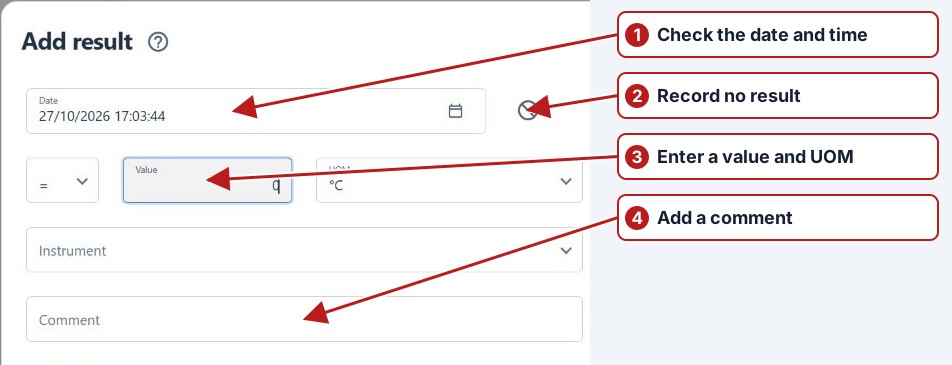
Enter a result in another unit
- Open the result editor.
- Select the input UOM from the available units.
- Enter the value in that unit and save the result.
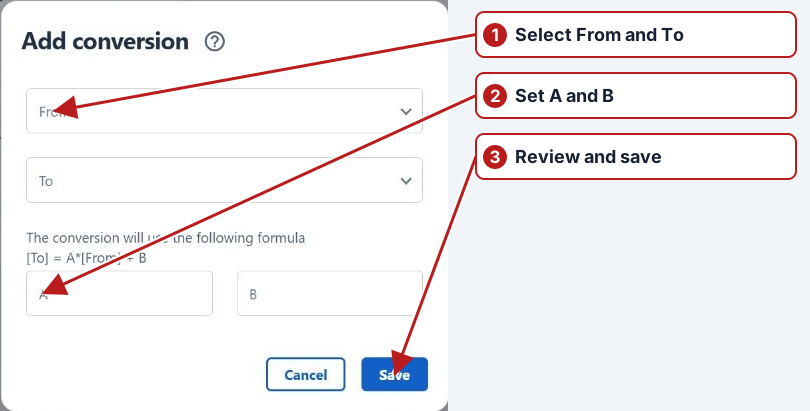
For example, a method using µg/L can accept mg/L when a conversion from mg/L to µg/L is defined. See Add a unit of measure conversion.
Worked entry and import example
| Source value | Source unit | Method unit | Converted value |
|---|---|---|---|
| 250 | µg/L | mg/L | 0.25 |
| 0.25 | mg/L | µg/L | 250 |
Define compatible units and the appropriate directional conversion. Review the unit displayed with the saved result, not just the typed number. A limit of 0.30 mg/L and a reported value of 250 µg/L must be compared on a common basis.
Different dimensions
mg/L and mg/kg describe different dimensions. Select the correct location-specific method rather than applying a scale conversion between water and soil concentrations. See Methods in detail.