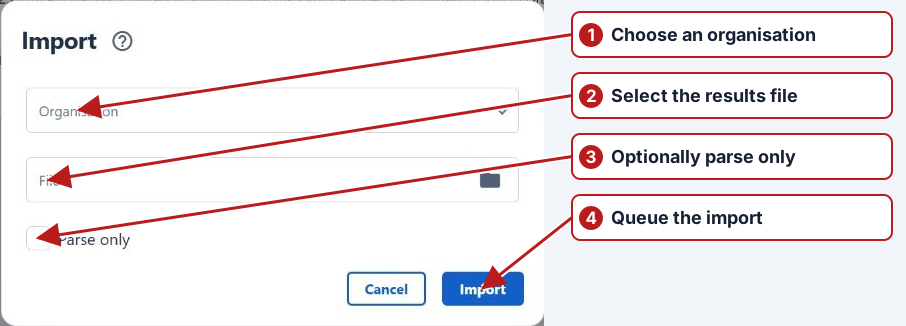
Search for file import events
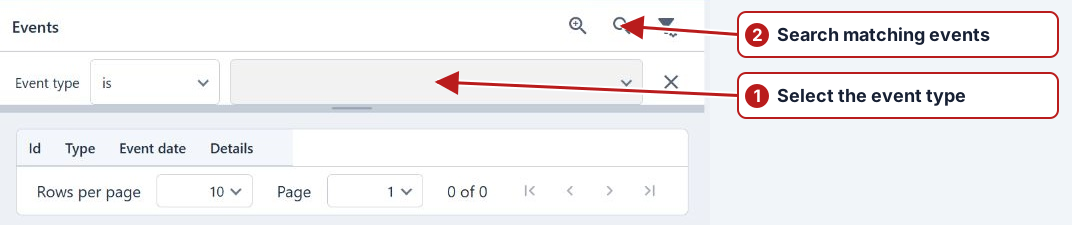
- Open Data > Events.
- Add Event type and select Import succeeded, Import failed or Import completed with errors.
- Add Date and, if useful, Details to narrow the search.
- Click Search and open the event’s Details.
Review the file’s row-level messages in Data > Imports as well.
Correlate the event with the file
Use the receipt or processing time and an import-related type to narrow the search. Open a matching event and compare its file, organisation and message with the import record. A success email or absence of an error event alone does not prove each expected result was recorded.