
Add a unit of measure conversion
Define a conversion between two existing units using [To] = A × [From] + B.
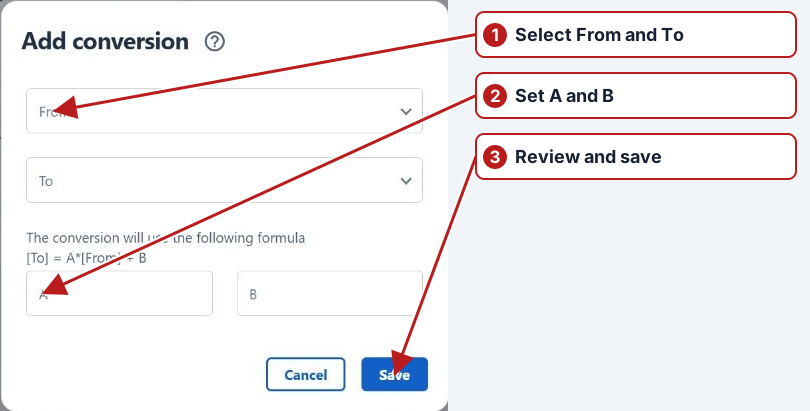
- Open Parameters > UOM conversions and click Add new.
- Select the From and To units.
- Enter A (the multiplier) and B (the offset).
- Check the displayed formula, then click Save.
Example
For mg/L to µg/L, use A = 1000 and B = 0. For µg/L to mg/L, use A = 0.001 and B = 0.
Confirm direction with a known value
For a source µg/L and target mg/L, the factor is 0.001: 250 × 0.001 = 0.25. For the opposite direction, the factor is 1,000. Confirm the displayed source and target rather than copying the factor from a conversion in the other direction.
Review where it is used
Check result entry, an import and any expression or limit that requests the converted unit. Both units must represent compatible dimensions; the conversion cannot supply a tank geometry or change a water concentration into a soil concentration.